ConnectKey
ConnectKey is a new software system and set of solutions for Xerox multifunction printers (MFPs).It was designed for one purpose: to simplify the way work gets done in a secure, “always on” world.
The ConnectKey MFPs do much more than print, scan, fax and copy. You can print from just about any mobile device. Documents can be scanned directly to cloud services like Google Drive, Evernote, or Salesforce.com for storage and collaboration – right from the MFP touch screen. The new common user interface also allows anyone in the workforce to easily connect into the company’s business processes.
For IT professionals, this common user interface as well as embedded security protection from McAfee allows MFPs to be managed and protected as easily as the rest of the network. The ConnectKey MFP platform has an open API, so apps can be developed and embedded right onto the MFP with no additional software requirements. For example, a health insurance company can add a feature to its MFP that scans reimbursement claims directly into their payment system from the MFP screen.
ConnectKey MFPs offer flexibility, simplicity and security – all of which allows our clients to focus more on what matters most… their real business.
https://www.youtube.com/watch?v=f01AHBfLnDg
ConnectKey Technology in Action

Streamline Workflow
Spend less time managing documents using a ConnectKey-enabled multifunction printer and document-management software.

Create electronic documents
Read about how a hospital converts hard-copy records to digital and accesses them from the cloud.

Print from the cloud
See how Robert downloads, scans, prints, shares, and translates docs from his mobile device to the MFP.

Use apps for tasks
See how a bank replaces time-intensive manual tasks with custom apps that speed processes.
Two Families. One Advanced Technology.
Find seamless efficiencies that work best for your small, midsize or large business with our cutting-edge ConnectKey Technology.
“Love at First Use”
When experts put our office printers to the test, we consistently come out on top. Read their reviews to see why.
Download apps to your printer/MFP to print from/scan to cloud-based repositories, or translate and print, or more.
Mobile Printing – There’s a better way to print.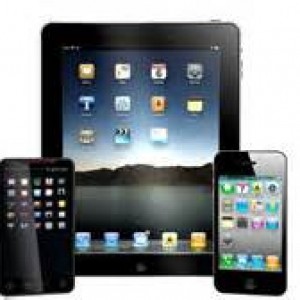
Xerox Mobile Print
Mobile Print Overview.
Included Apps and Services
Our MPS Essentials Suite combines print management, mobility, scanning and translation services to help small and midsized businesses be more flexible. Plus, our client support tools automatically update firmware, ensuring your ConnectKey®-enabled multifunction printers (MFPs) are always secure and functioning optimally. Here’s what’s included in the MPS Essentials Suite of managed print software.
Xerox® Workplace Cloud
Get convenient, secure, affordable mobile printing through our cloud-based service. The service includes favorites like Xerox® Mobile Print and PrintSafe, plus tools for job tracking, accounting and reporting.
Xerox® Easy Translator Service
Translate into more than 40 languages,
in seconds, at the push of a button. Simply scan a document using the
app on a ConnectKey-enabled MFP, or snap a photo with your smartphone.
Then immediately receive a translation via email and/or printed via the
MFP, maintaining the formatting of the original document.
Available in the Xerox® App Gallery ›
Xerox® Scan to Cloud Email App
Easily scan documents and email them or
save them to the cloud. There’s no need to set up SMTP or change any
device settings. Our app simplifies the scan/send workflow to reduce
user frustration and speed up delivery. It works great for workgroups
with multiple cloud-based email accounts, including Gmail, Yahoo,
Hotmail, etc.
Available in the Xerox® App Gallery ›
CapturePoint Transformer App
Get powerful, secure document scanning and
quickly transform paper into editable, actionable, digital formats. This
cloud service securely scans and converts paper into searchable
Microsoft Word, Excel, PDF or image files that you can store in
SharePoint, Box, Dropbox, OneDrive/365, email and more locations.
Available in the Xerox® App Gallery ›
Xerox® Support Assistant
At the touch of a button on your MFP, you
can get real-time information on service and supplies requests. Check
the status of your service call, see whether a technician has been
dispatched, or get tracking information on supplies shipments. All
without calling a help desk.
Firmware Connect App
This app automatically pushes system
software updates to your ConnectKey-enabled MFPs. This includes
corrections to operational issues, fixes to new compatibility issues,
new features, and security patches for newly discovered threats. There’s
no need to call the Service Desk or manually update software. This app
does it for you.
Start The process to change
